 tab in the Dialer Interface, click the
  button. The
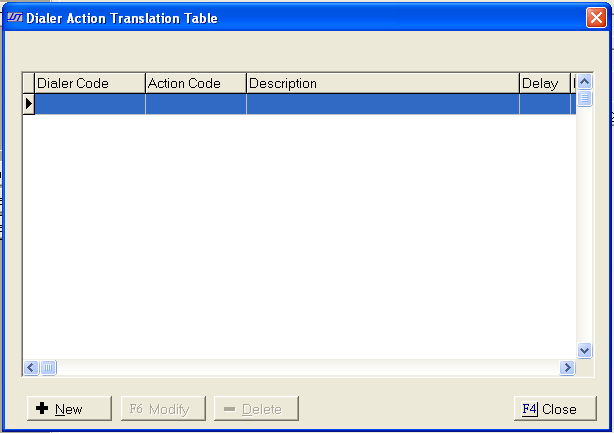
Action Translation Table will be displayed.
button. The
Action Translation Table will be displayed. The Action Translation Table allows user to add action codes based on imported dialer results codes.
From the
tab in the Dialer Interface, click the button. The
Action Translation Table will be displayed.
Click the  button
to display the Edit Action Translation Table.
button
to display the Edit Action Translation Table.
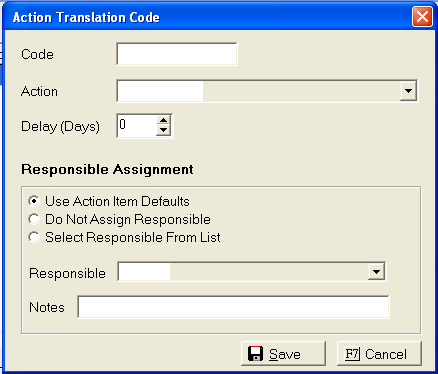
Enter the Dialer Result Code to be translated. User will get the dialer results code from their Dialer provider.
Select the
Action code from the  list.
list.
Enter the number of days of Delay (number of days until the action is due)
Set the Responsible Assignment by clicking the
 button next to the selection.
If selecting
a responsible from the list, click the button and select
the responsible from the list.
Enter any Notes to be added to the action note field.
Click the
 button.
To modify
an existing entry, click on the translation and click the  button.
To delete
an existing entry, click on the translation and click the  button.