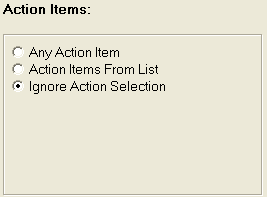
Continue to narrow down the accounts to be included in the export file by the following action criteria.
The Any Action Item selection will include any accounts with any actions during an Action Date Range.
Click the
 button next to Any Action
Item.
button next to Any Action
Item.
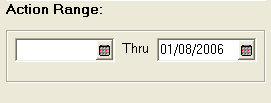
The Action Range Box will be displayed at the bottom of the screen. Select the action date range.
the Action Items From List selection will include any actions selected during an Action Date Range.
Click the
button next to Action Items From List. The
Actions Code List Selection Screen will be displayed.
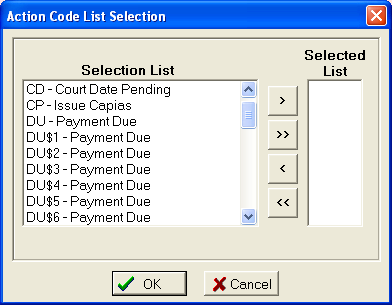
Click on
the first action to be included in the Selected List. Click
the  button to move the action to the Selected List. Continue
until all desired actions are added to the Selected List.
button to move the action to the Selected List. Continue
until all desired actions are added to the Selected List.
To move all
action to the Selected List, click the  button.
To remove
an action from the Selected List, click on the action to highlight and
then click the  button.
To remove
all actions from the Selected List, click the  button.
Click the
 button to exit the Action Selection Screen.
The Action Range Box will be displayed at the bottom of the screen. Select the action date range.
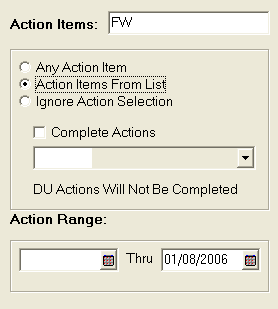
If you would
like the dialer interface to complete these selected actions, click the
 box next to Complete Actions. Select
the completion code from the
box next to Complete Actions. Select
the completion code from the  list.
list.
The Ignore Action Selection option will allow all accounts regardless of action to be included in the export file.
Click the
button next to Ignore Action Selection.