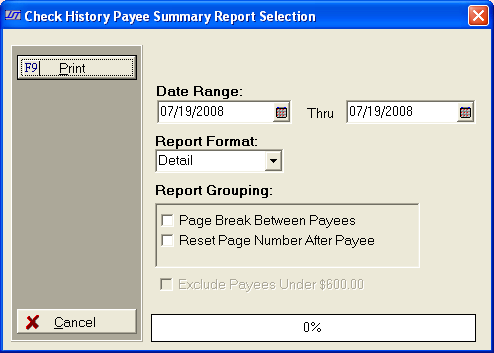
Use the following selection criteria to narrow down the accounts to be included on this report.
 button and select a beginning and an ending date
or type the dates using the MM/DD/YYYY format. Only Checks printed during
the selected date range will be eligible for inclusion on this report.
button and select a beginning and an ending date
or type the dates using the MM/DD/YYYY format. Only Checks printed during
the selected date range will be eligible for inclusion on this report.
 button and select to print the report in Detail or
Summary format. Detail
Format will report
button and select to print the report in Detail or
Summary format. Detail
Format will report  boxes to add a Page Break after each group and to
rest the page numbers to one for each group. box to keep payees
with a total under $600.00 from printing on the report.
boxes to add a Page Break after each group and to
rest the page numbers to one for each group. box to keep payees
with a total under $600.00 from printing on the report.